Top 5 New Features in Revit 2027.1 and Revit 2027.2
Jul 27, 2026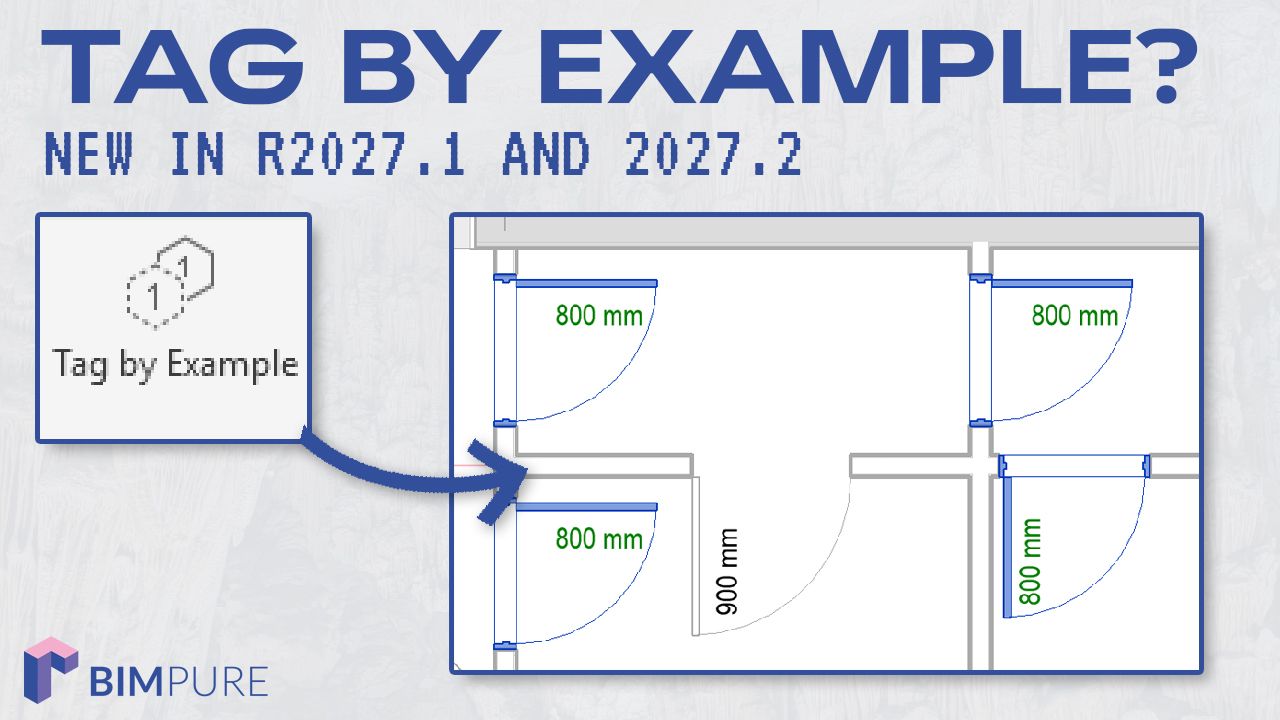
Revit 2027.1 and 2027.2 have both been released with a 5-week gap. Is Autodesk speeding up updates?
Read Revit 2027.1 full release notes
Read Revit 2027.2 full release notes
Here are our favorite features.
Added in Revit 2027.2
In the Tag dropdown menu, you will find Tag by Example. This is meant to quickly recreate a tag orientation, host relation, flip, and mirror to other elements.
Start by selecting the tag to emulate. Press Enter.
Then, select the other elements you want to propagate the tag into. Optionally, you can delete any existing tag for the elements.
Added in Revit 2027.2
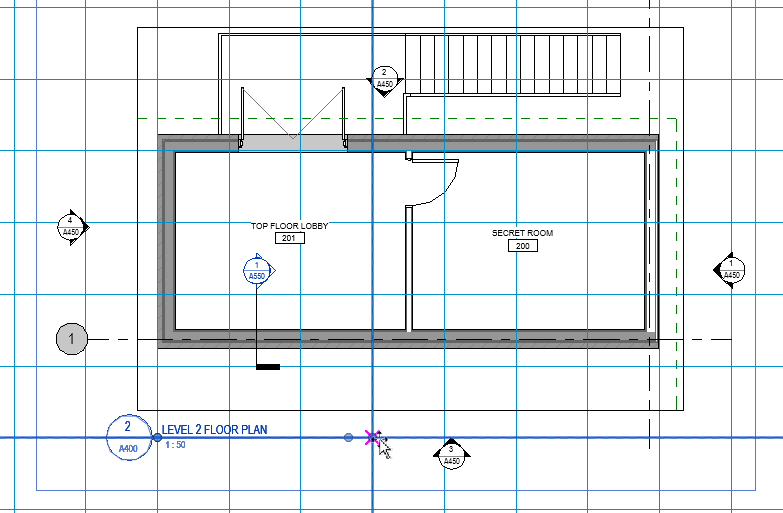
When a guide grid is active on a sheet, you can now snap a view title to it. The line extension of the view title can also be snapped to the grid.
Added in Revit 2027.1
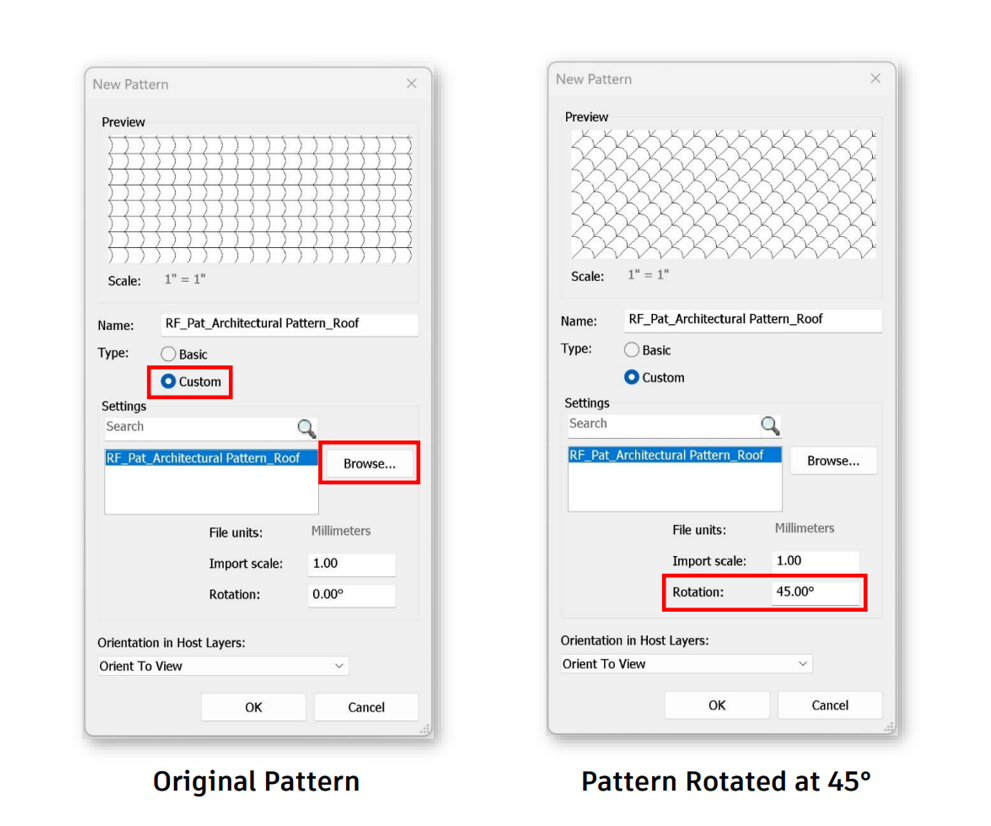
You can now set a rotation angle to custom patterns.
Added in Revit 2027.1 and 2027.2
The Autodesk Assistant wasn't great when it was initially released. It was inferior to 3rd party solutions, and it was hard to see the value.
But Autodesk is pouring resources into improving it. In my most recent test, it succeeded on more tasks. But it still has limitations.
Autodesk also added timestamped responses, a stop button, and MCP tool logs in the Revit journal.
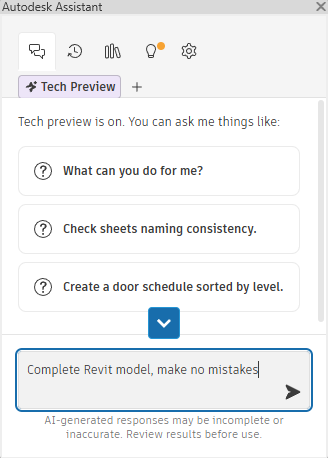
This is OK for beginners. But intermediate to advanced users should check out pyRevit MCP + Claude Code instead.
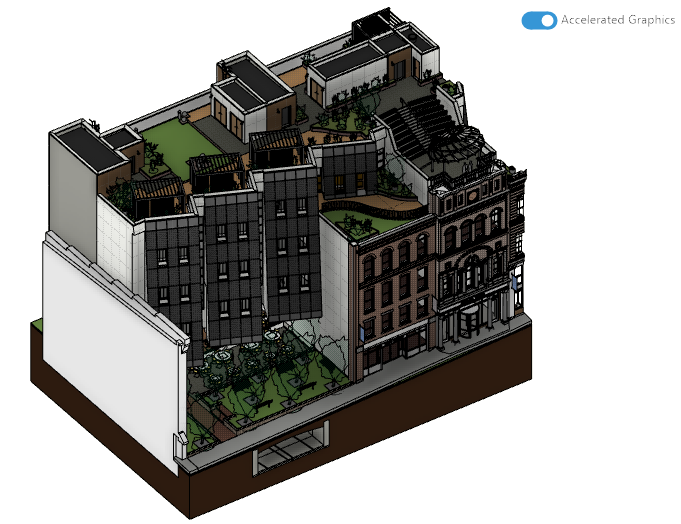
You can now activate ambient shadows in accelerated graphics views. Slowly, this view style is becoming more helpful.
Added in Revit 2027.2
In the General Options, you can activate Enable Incremental Model Open.
In theory, this is supposed to let you open large Revit models faster. However, I tested the feature and didn't see any difference. Opening the Snowdown Towers Architectural Model took 22 seconds both with and without the option active.
There are also new Forma Connected Client features, but we're keeping that for another post.
Enter your details below to get this free guide.